 TapSum
Track spending in two taps.
Type the amount, tap a category, done. TapSum keeps your budgets, income, accounts and a short money course on your phone. No account, no ads, no cloud.
Free to start. iPhone and Android. English, Español, Português, Deutsch, Français, Italiano, Русский.
Your whole money picture, still two taps away
Entry stays fast. Everything else is one swipe from it.
Expenses
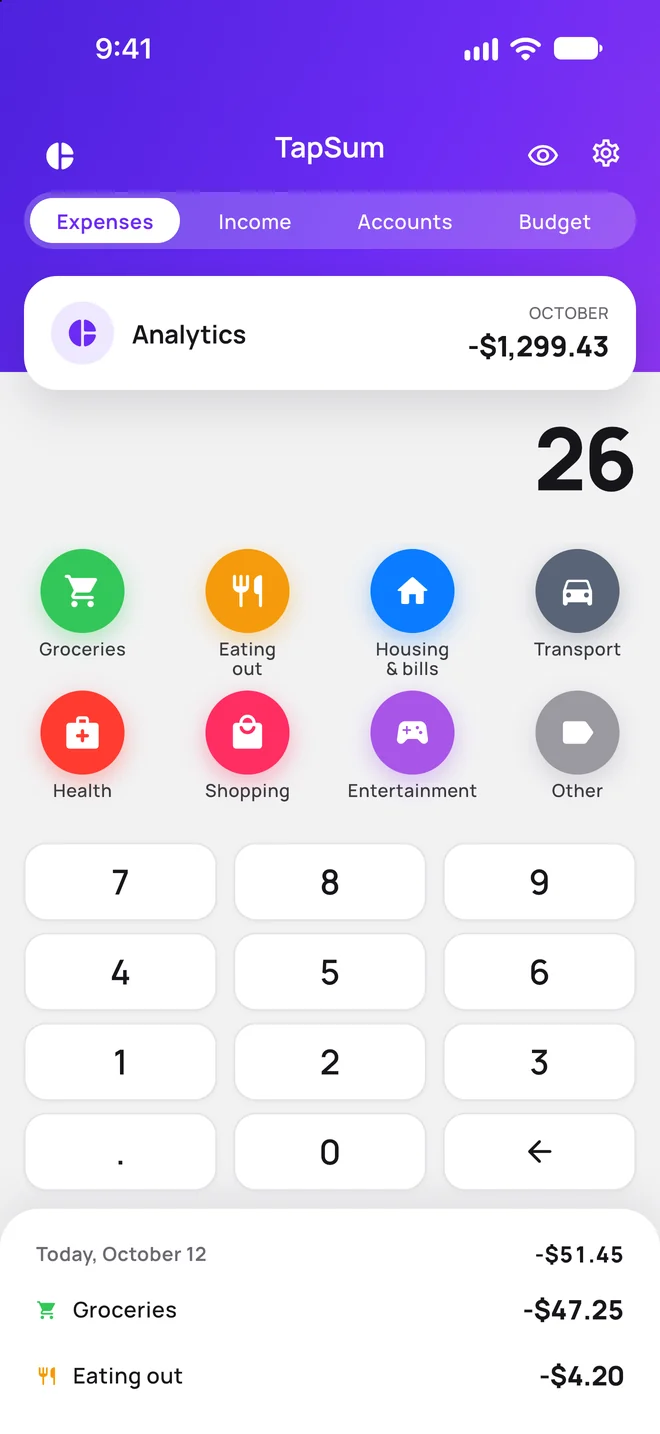
The keypad and your categories are always on the main screen. Today's entries sit right under the keypad, with undo.
- Long-press a category for a note or another date
- Spread a big payment over 2 to 12 months
- Search your whole history by note, category or amount
From Spending to Wealth
A short money course built into TapSum. It starts with where your money goes and ends with your first investment portfolio, in four-minute lessons.
- Where your money goes15 min
- Your foundation: cushion, debt and credit15 min
- Goals and time horizon11 min
- Cars and insurance22 min
- Everyday leaks24 min
- Risk and return12 min
- The tools20 min
- Building a portfolio13 min
- Accounts and taxes in 202619 min
- Behavior and protection13 min
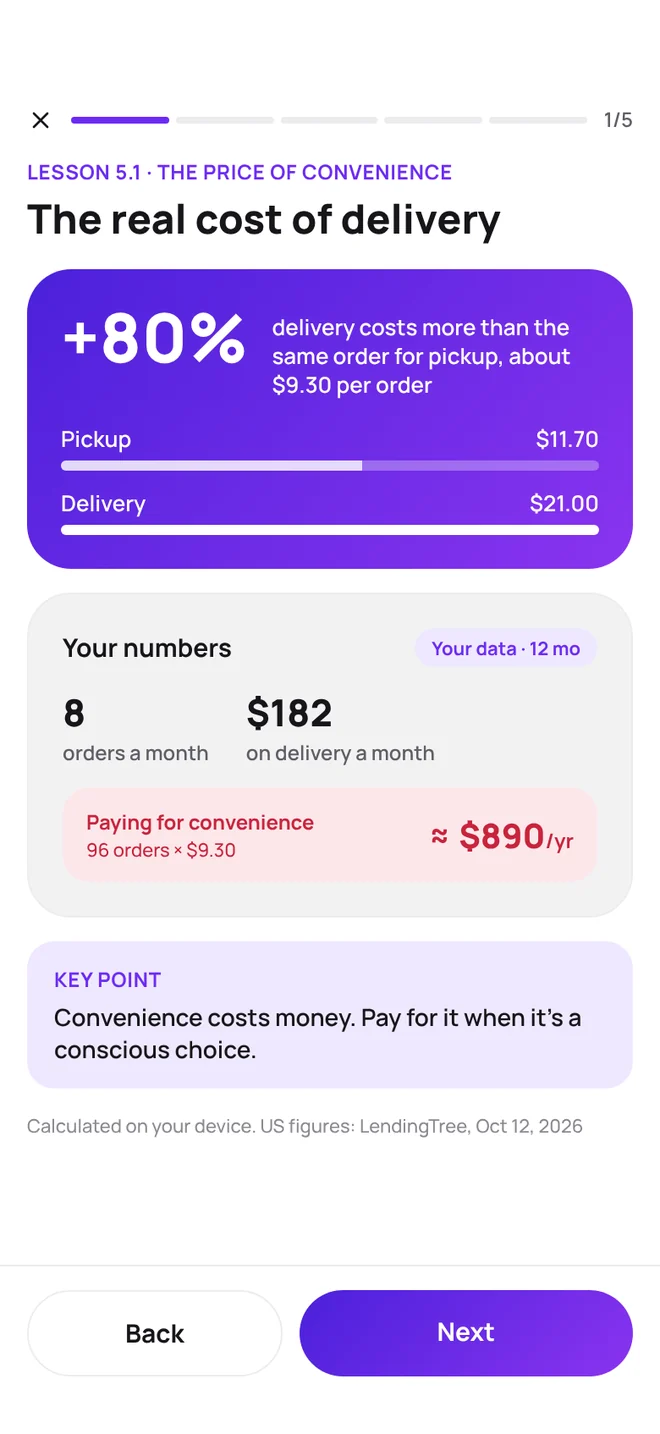
Written for your country. Local prices, accounts and rules for the United States, United Kingdom, Canada, Australia, Spain, Mexico, Brazil, Germany, Austria, Switzerland, France and Italy, in the local language. Everywhere else, a worldwide edition. Where it can, a lesson puts your own numbers next to the example.
Your money stays on your phone
TapSum keeps everything in a database on your device. There is no TapSum account and no server with your transactions. The app goes online only for exchange rates, course updates and purchases, and never sends your spending, accounts or budgets.
- No sign-upOpen the app and start. Nothing to create, nothing to remember.
- No adsNo ads in the app, and nothing about your money is shared with anyone.
- Works offlineLog spending on a plane or in a basement.
- Backups you controlAutomatic backups on the phone, and export to CSV or zip whenever you want.
- Privacy modeOne tap hides every amount when someone looks over your shoulder.
Free to track. Premium to plan.
Every feature is open for your first 7 days. After that the basics stay free for good.
Free
Forever, no trial clock.
- Two-tap expense entry
- Reports by month and year
- Finance overview
- Your own categories
- First 3 lessons of the course
- Export and backups
Premium
Monthly, yearly, or a one-time lifetime purchase.
- The full From Spending to Wealth course
- Income
- Accounts and net worth
- Budgets
- Subscriptions
- Import from CSV or zip, and restore from backup
Questions
Where is my data stored?
Only on your phone, in the app's local database. TapSum has no accounts and never uploads your transactions.
What if I lose my phone?
Nothing lives in a cloud, so keep a copy. TapSum makes automatic backups on the phone; from Import and export you can save a backup file anywhere you like and restore it on a new phone.
Is TapSum free?
Expense tracking, reports, the Finance overview, categories, export, backups and the first 3 course lessons are free. Premium adds the full course, income, accounts, budgets, subscriptions, import and restore. It is billed by the App Store or Google Play.
Can I move my history from another app?
Yes. Import a CSV file or a full TapSum zip export. Duplicates are skipped, so importing the same file twice is safe.
Does it sync between devices?
No, on purpose. Syncing would need a server holding your financial data.
Which currencies and languages are supported?
Pick a base currency from 14, including USD, EUR, GBP, BRL and MXN, and change it later if you move. Accounts can hold any currency. The app speaks English, Spanish, Portuguese, German, French, Italian and Russian.
Is the course available in my country?
There are editions for the United States, United Kingdom, Canada, Australia, Spain, Mexico, Brazil, Germany, Austria, Switzerland, France and Italy. Everywhere else you get the worldwide edition. Open it from the Finance screen or from Settings.
How do I cancel Premium?
Subscriptions are managed by Apple or Google. Cancel any time in your App Store or Google Play subscription settings.